
This guide is for employees who want to view their Payslips, P60s and P45s.
MyPay gives you quick, easy access to your pay information. You can:
- view your current and previous payslips
- download all your payslips at once
- check your tax code
- access your P60s and P45s
Accessing MyPay
To open MyPay, select the icon in your HR system menu. Your organisation may have given this icon a different name, such as Payslips.
Payslips
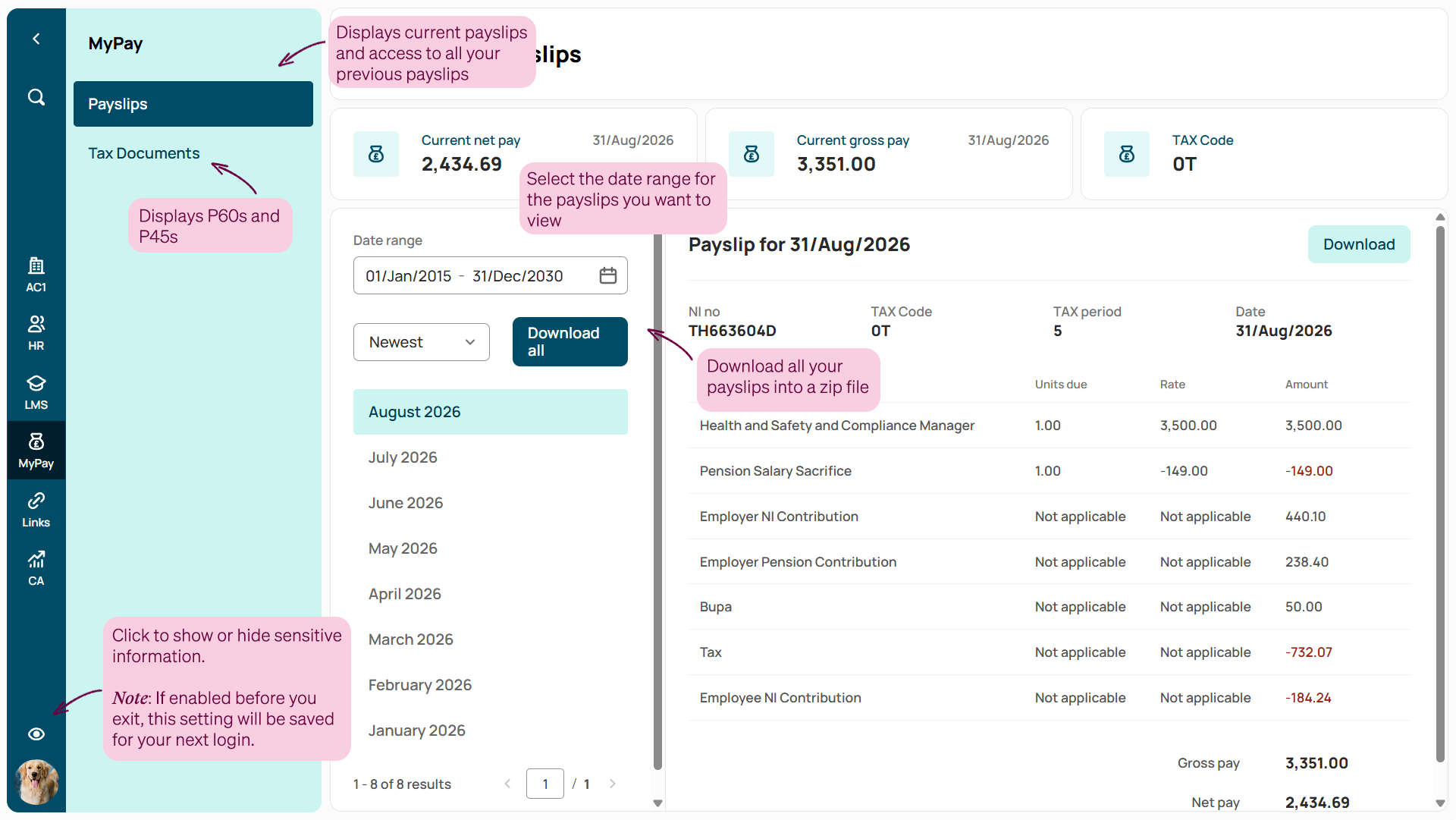
You will then be taken to the Payslips screen where you can:
- Payslips: view your current and previous payslips, and filter by date range
- Tax documents: access your P60s and P45s
- Download all: save all your payslips as a zip file in one click
- Hide sensitive data: switch this on to keep personal information hidden, even next time you log in
Tax Documents
Your tax documents are stored here for easy access. Here's what you can do:
- P60 / P45 tabs: switch between document types
- Download: save individual documents
- Download All: grab everything as a zip file in one click
Footer
Comments
0 comments
Article is closed for comments.