
This guide gives you an overview of multi-entity functionality in HR.
Contents
- Multi-Entity hierarchical structure
- To create a child entity
- To remove a child entity
- Restrict Global Pages
- Org Chart and Multi-Entity
Multi-Entity hierarchical structure
- The multi-entity structure is a standard hierarchical structure with each entity having a parent entity other than the top level entity and an entity for non multi entity related people
- This structure is created and maintained via System Configuration > Multi-Entity Configuration
- The graphic presented will show the current entity structure
- In the above schematic, the name of the entity is displayed and where applicable the structure to the parent
- The tick indicates that the entity is available. An entity is enabled by editing the entity and setting the slider accordingly
- It is possible to create as many “child” entities as are required
|
Notes
|
To create a child entity
- Click on the entity to which a child entity is to be created
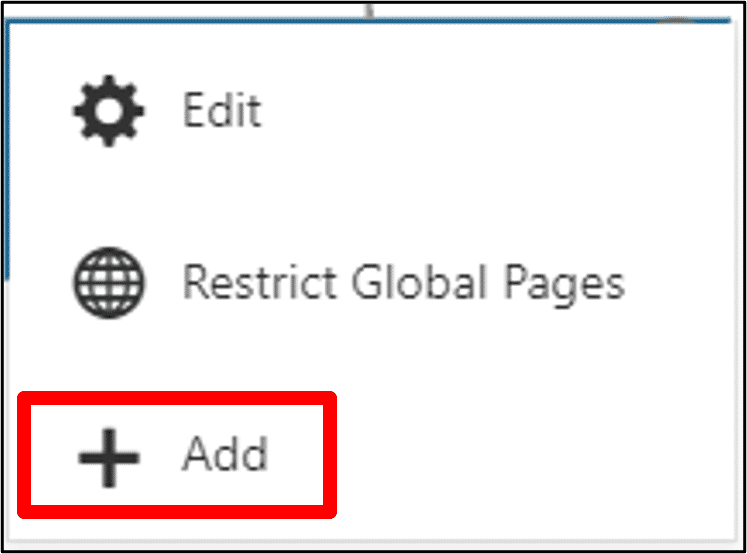
- A pop-up box will be presented enabling the following actions
- Click Add
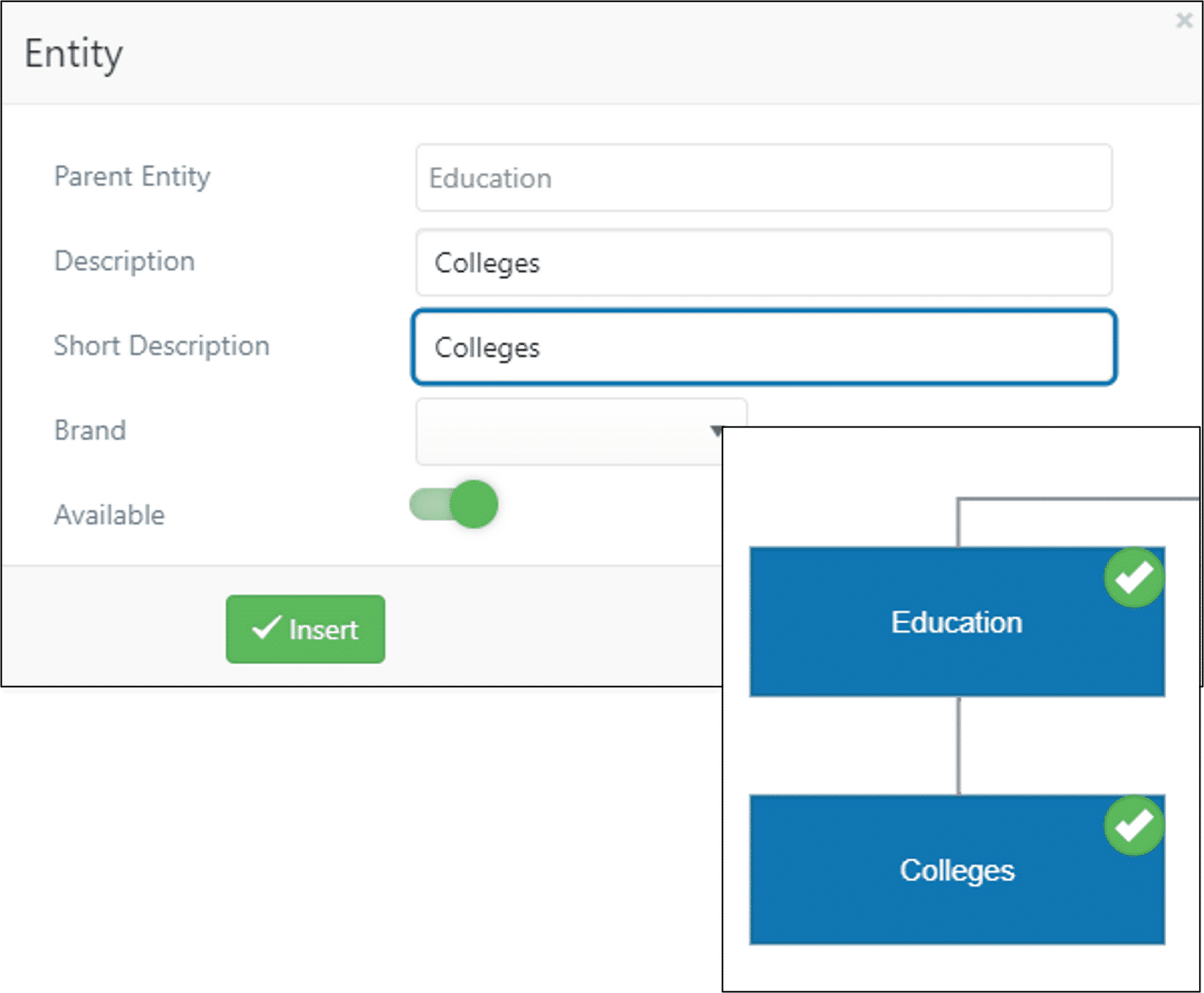
- The Parent Entity will indicate the parent group to which a child entity is being added
- Enter a Description and a Short Description
- If different branding has been configured select the appropriate brand identity from the dropdown list
- Click the Available slider to enable the entity
- Click Insert and the entity will appear in the structure
| Note: The Available slider is primarily used to allow the creation of multi entities and make them unavailable until such a time as they are ready for use. It can be used at any time to make the entity unavailable for allocation without affecting any aspects of code inheritance and/or inclusion. |
To edit an entity
- Click on the entity to be edited
- Click Edit
- Make any changes as required and click Update
| Note: The Short Description field is displayed on the entity diagram and has a 20 character restriction. |
To remove a child entity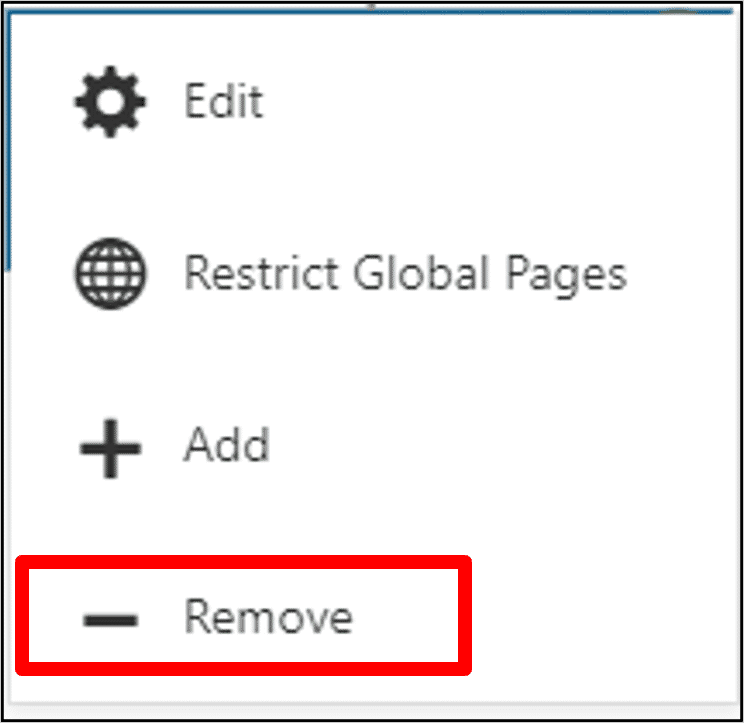
- Click on the entity to be removed
- Click Remove
| Note: It is only possible to Remove an empty entity. This option will not be presented when clicking on an entity which has records associated with it. |
Restrict Global pages
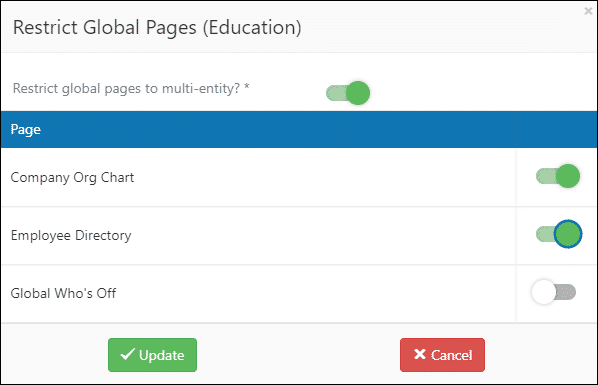
- There are a number of pages in HR which are “global” pages. This means that in a multi entity environment the entity would have visibility of other entity employees in these global pages
- Visibility can be restricted such that only the employee information for the entity can be viewed
- In the example shown the “Education” entity has been configured so that employees in that entity will only have visibility of their own entity organisation chart and employee directory but will be able to see who is off across entities
Org Chart and Multi-Entity
- The Org Chart restricts what each user sees by entity, in the same way as Who’s Off. Multi-Entity Global restrictions can remove restricted entities from the chart for all users, which may result in a very limited view. An optional per-user setting allows each user to see only the people within the entities they’re permitted to access, while HR and administrators retain full visibility. The standard behaviour remains the default. To use per-user restrictions, enable “Org Chart: Multi Entity per-user restriction” in System Configuration.
Footer
Comments
0 comments
Article is closed for comments.